
Solutions · Continuity
When your records clerk leaves, your history shouldn't leave too.
In too many agencies, the training record lives in one person's binder or a spreadsheet only they understand. When they retire or transfer, years of history walk out the door. DutyFile keeps it all in one system the agency owns — permanently.
The problem
The most fragile record in the building.
- Training history scattered across personal spreadsheets, desktops, and email.
- One person who knows where everything is — and no plan for when they don't.
- Records that quietly disappear when an instructor or clerk moves on.
- New staff inheriting a mystery instead of a clean, complete history.
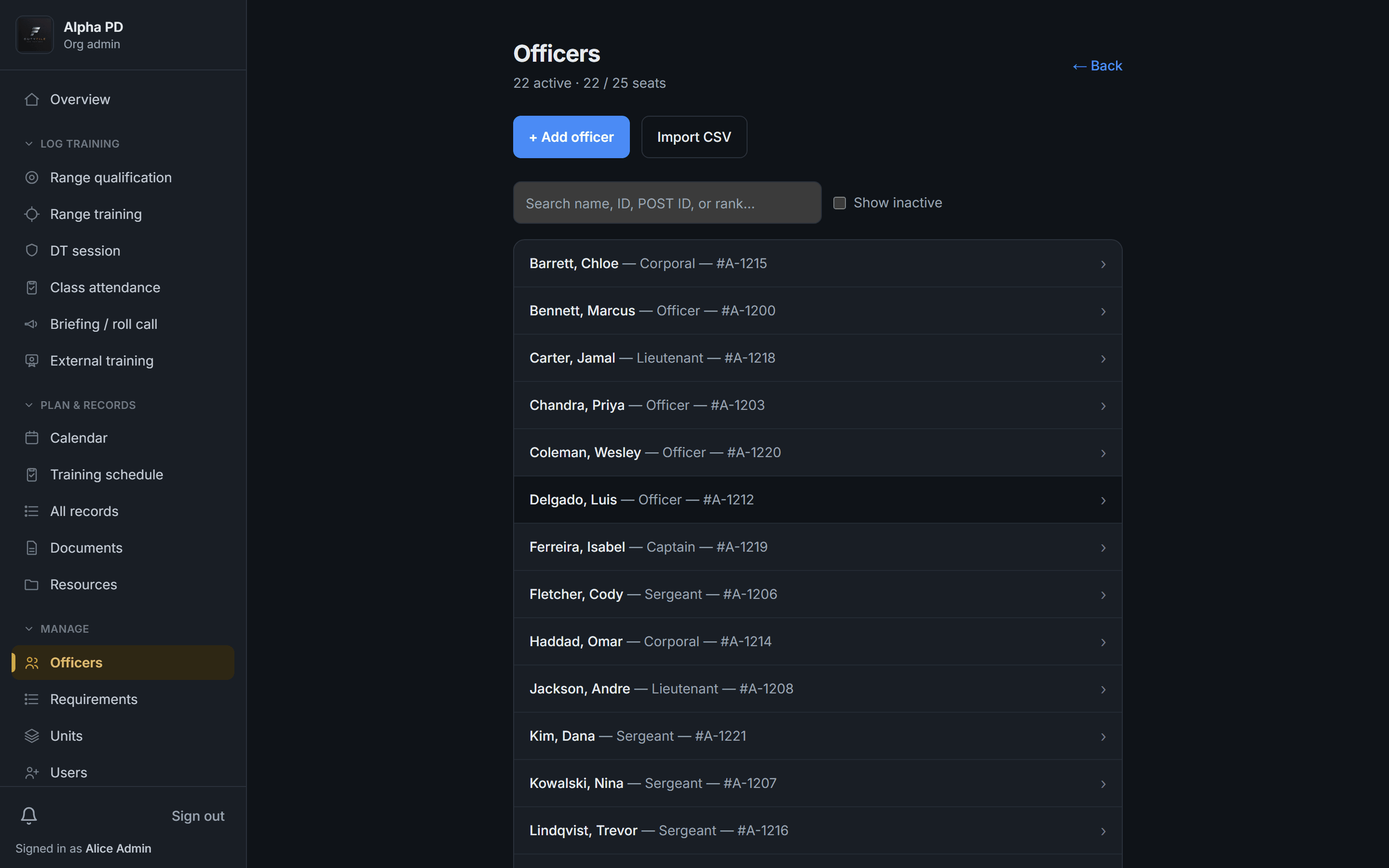
Every officer, every record — in one system the agency owns.
DutyFile is a single source of truth for your whole roster. Records are stored centrally, tied to each officer, and stay with the agency no matter who comes or goes. Onboarding a new training sergeant means handing over a login, not a filing cabinet.
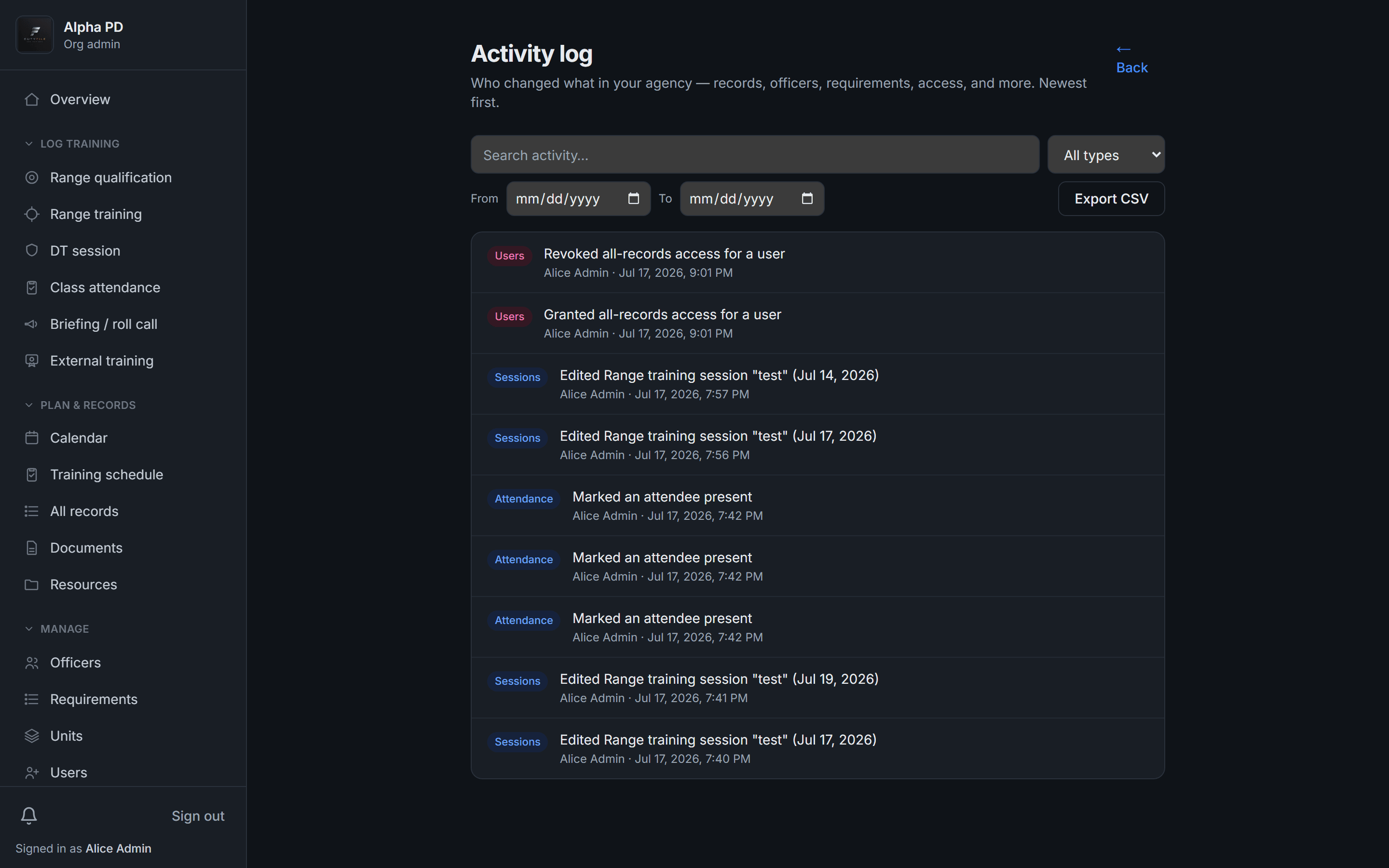
Nothing changes without a trace.
Every edit is logged — who changed what, and when. So even as staff turn over, you keep a continuous, accountable history you can trust and stand behind.
Continuity by design
How DutyFile keeps your history intact.
- Centralized records, owned by the agency — not an individual
- Role-based access so the right people can pick up where others left off
- A full change history on every record
- Complete records retained after officers or staff separate
- One-click exports so history is always portable
FAQ
Continuity questions, answered.
- What happens to our records if a training officer leaves?
- Nothing — they stay in DutyFile, owned by the agency. A new staff member just needs an account to pick up exactly where the last one left off.
- Can more than one person manage training records?
- Yes. Role-based access lets multiple staff manage records at the appropriate level, so you're never dependent on a single person.
- Do records stay after an officer separates?
- Yes. An officer's complete history is retained and remains exportable after they leave.
- How do we move off spreadsheets and binders?
- Import your roster, add your requirements, and start logging — historical records can be entered or imported so your history lives in one place going forward.
Give your training program a record it can stand on.
Start a 14-day free trial today, or book a demo to see DutyFile against your agency’s real workflow.