
Solutions · Audit readiness
Your audit is coming. Your records shouldn't be a fire drill.
When a POST or accreditation audit lands, most agencies lose days digging through binders, spreadsheets, and inboxes to prove officers actually completed their training. DutyFile shows you every gap in advance — and produces the report the auditor wants in one click.
The problem
Why training audits turn into a fire drill.
The training happened. Proving it is the hard part — because the proof is scattered across three places at once:
- Binders at the range, a spreadsheet on someone's desktop, and certificates buried in email.
- No single view of who's current and who's expired, so gaps surface during the audit instead of before it.
- When an instructor or records clerk leaves, their piece of the history often walks out the door with them.
- Reconstructing a year of training under a deadline is stressful, error-prone, and exactly when mistakes get noticed.
See every gap before the auditor does.
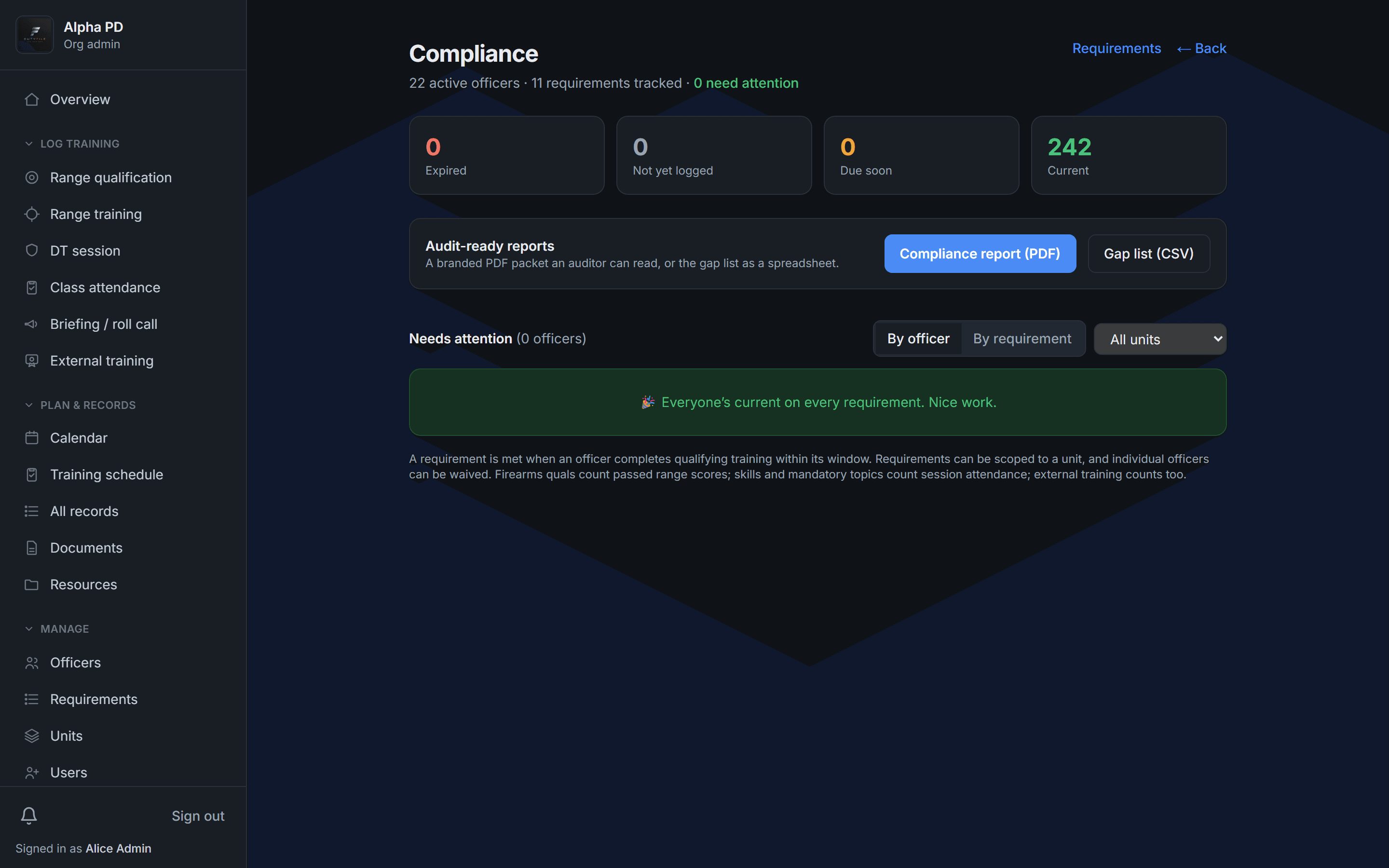
DutyFile tracks every officer against your agency's requirements and shows — at a glance — who's current, who's due soon, and who's expired. Filter by unit, drill into any officer, and fix problems while there's still time to fix them.
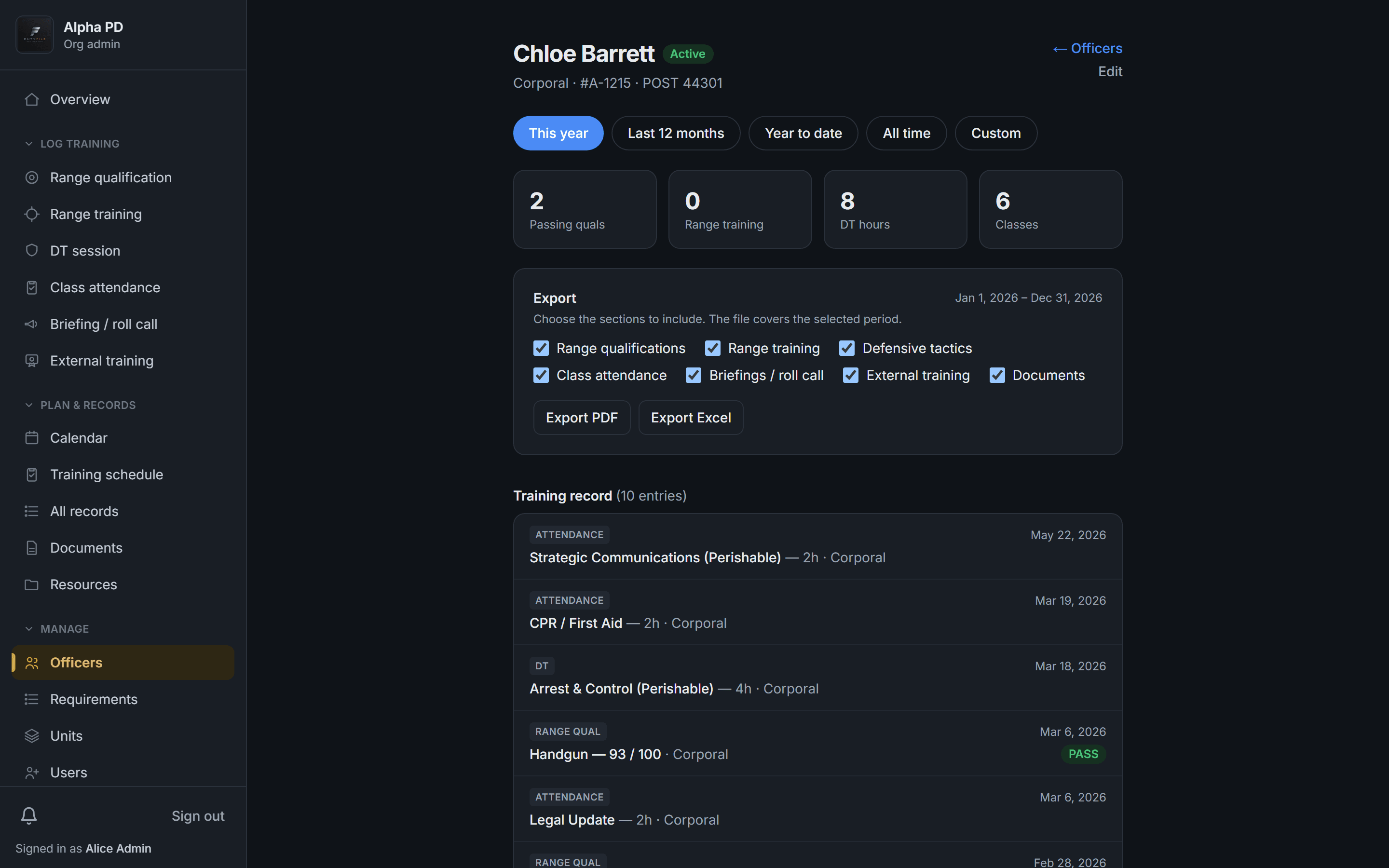
Produce any officer's full record on the spot.
Open any officer and export a complete, dated transcript to PDF or Excel — every qualification, session, and class, each showing the rank they held at the time. It's the proof an auditor, a court, or a promotion board asks for, ready in seconds.
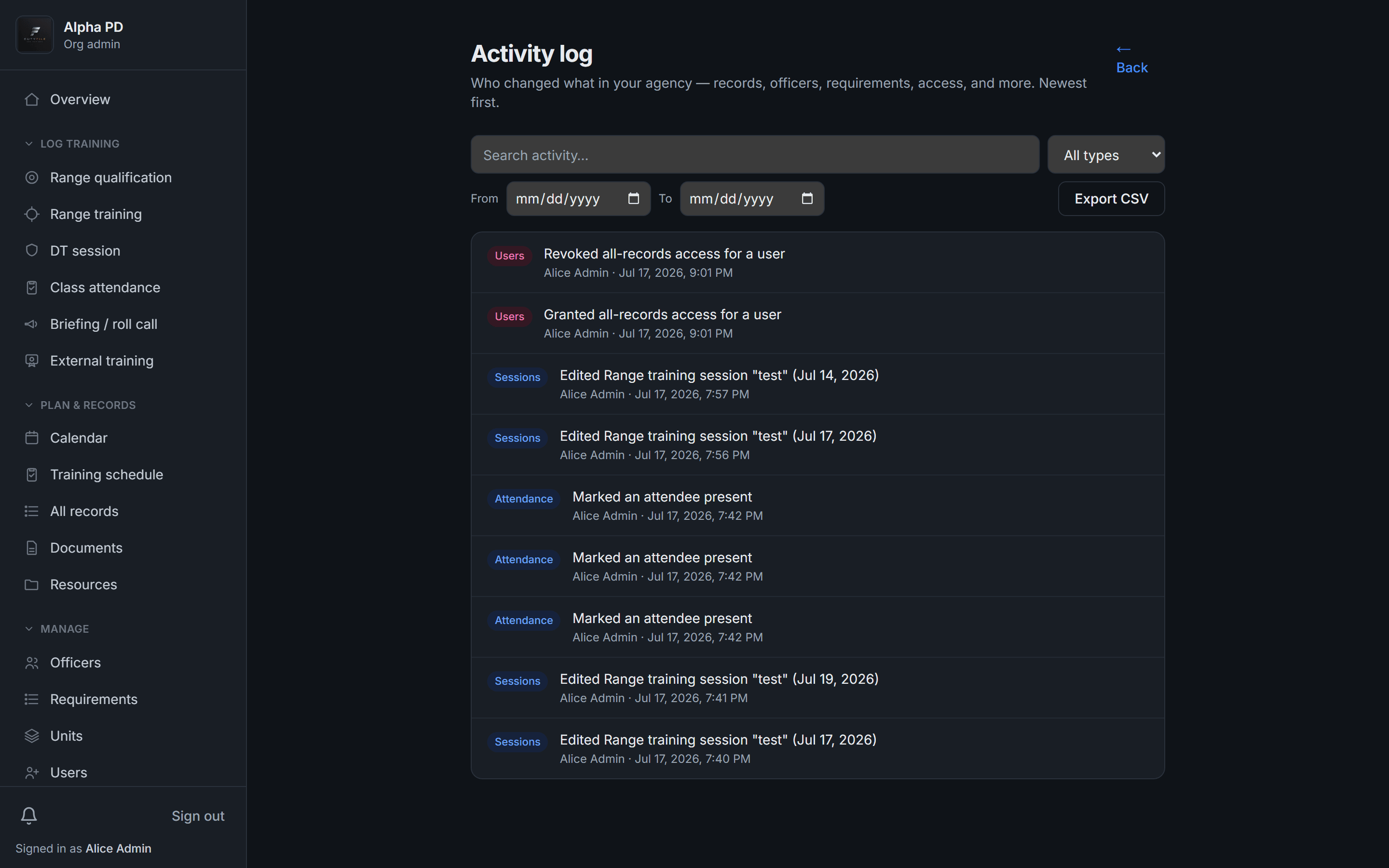
Every change is on the record, too.
DutyFile logs who changed what, and when — records, requirements, and access. When an auditor asks how you know a record is accurate, you can show them. That's a level of defensibility a binder can never offer.
How it works
Audit-ready in three steps.
- 1
Set your requirements
Define what each role must complete and how often — firearms quals, perishable skills, mandated hours, and your own policies. Scope them to a unit when they differ.
- 2
Log training as it happens
Instructors record qualifications, sessions, and attendance in seconds — from the range, on a phone, even offline. It syncs the moment signal returns.
- 3
Export the packet
When the audit lands, generate the branded compliance report and gap list in one click. No scramble, no reconstructing a year of history.
Checklist
What auditors want to see.
Whatever your state's standards body calls it, an audit comes down to one thing: proof that each officer met each requirement inside its window. Have these ready — DutyFile captures all of them by default.
- Current firearms / range qualifications for every sworn officer, with scores and pass/fail
- Perishable-skills hours, where your state mandates them
- Legislated and agency-mandated courses — use of force, legal updates, and more
- The date, hours, and result for each training event
- The rank each officer held at the time of training
- Records for officers who transferred or separated mid-cycle
FAQ
POST audit questions, answered.
- What is a POST training audit?
- It's a review — by your state's Peace Officer Standards and Training body, an accreditation program, or your own command staff — confirming that each officer completed the training they were required to, inside the window it was required in. Auditors look for proof: dates, results, hours, and the standard that applied.
- How far back do training records need to go?
- It varies by state and by requirement, and retention often extends well beyond an officer's tenure. Because reconstructing history after the fact is where agencies get burned, DutyFile keeps a complete, dated record indefinitely — so the answer to how far back is always all of it.
- What does an auditor actually want to see?
- Proof that each officer met each requirement in its window: the date, the result (score or pass/fail), the hours, and the standard applied — plus the rank the officer held at the time. DutyFile captures all of this by default and puts it on one report.
- We're behind mid-cycle — can DutyFile still help?
- Yes. The compliance dashboard separates who's expired from who's simply due soon, so you can triage — close the urgent gaps first and schedule the rest before the deadline instead of discovering them during the audit.
- Does this work outside California?
- Yes. Requirements are fully configurable, so DutyFile fits any state's POST or standards framework, accreditation requirements, and your own agency policies.
- Can we export a report auditors will accept?
- Yes — a branded PDF compliance packet covering every officer and requirement, plus a gap-list CSV for your own tracking. Both generate in one click, already formatted.
Give your training program a record it can stand on.
Start a 14-day free trial today, or book a demo to see DutyFile against your agency’s real workflow.